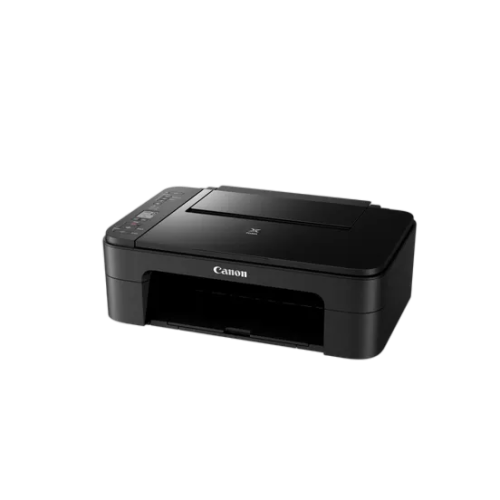
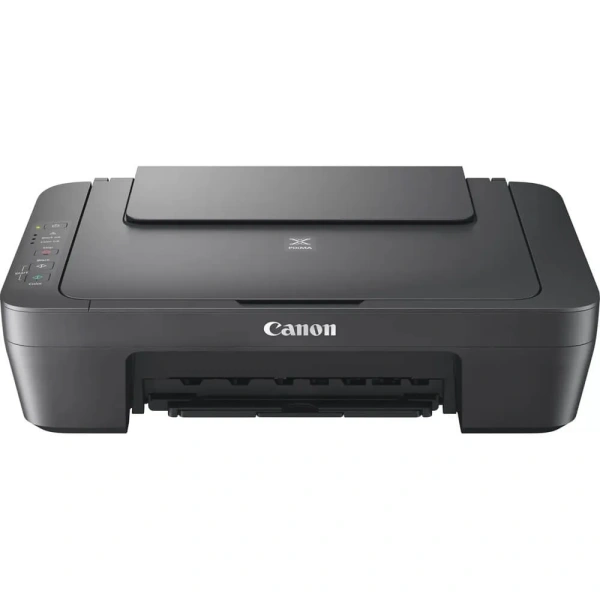
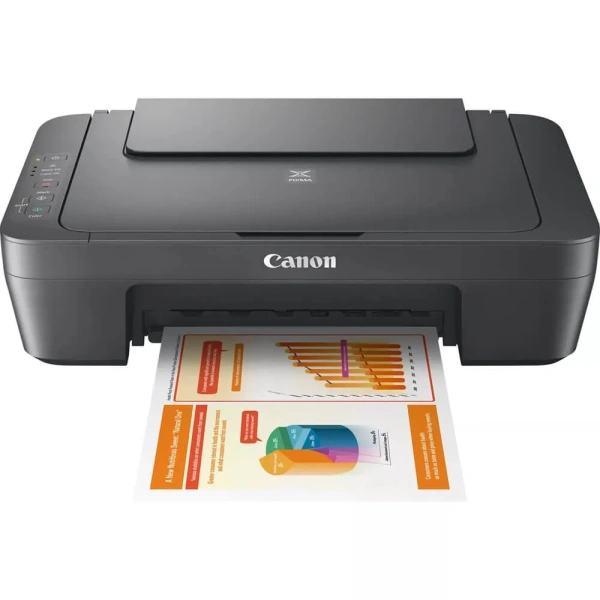
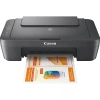
Canon PIXMA MG2541S 3-in-1 Colour Inkjet Printer (0727C067AA)

A compact everyday All-In-One colour printer, scanner and copier ideal for home use.
The perfect everyday All-In-One for printing, scanning and copying. From text-heavy documents to family photos, the compact Canon PIXMA MG2541S print engine is built for quality and ease-of-use.
Print, scan, copy – home printing made easy
The ideal home All-In-One, letting you print, scan and copy documents and photos at speed without compromising on quality. Simple to use, the Canon PIXMA MG2541S is a stylish, compact and desk-friendly device with powerful features for every home user.
Affordable device, premium print quality
The Canon PIXMA MG2541S offers incredible value for money: an affordable home printer that produces superior quality documents and photos. FINE Cartridge technology means deep blacks, vivid colours and a stunning level of detail.
Up to 30% lower cost per page
Using the optional high-capacity Canon XL ink cartridges, you can save as much as 30% on the cost per page compared to their standard equivalents. Get more pages per cartridge and go longer between cartridge replacements; the Canon PIXMA MG2541S won’t cost the earth to run.
Be creative
Easily print your photos with the Easy-PhotoPrint Editor, while Creative Park opens a world of creative possibilities with its selection of designs from artists, all available for you to use as postcards, calendars, birthday cards and much more.
Energy saving built-in
Use less energy with Auto Power On/Off. Hit print on your laptop and watch as the printer immediately emerges from its power-saving mode, ready to print without even switching it on.
Canon PIXMA MG2541S Inkjet MFP 3 in 1 A4 ,GREY A4 MFP, Print, Copy and Scan. 8ipm mono, 4.0ipm colour, 4800 x 600 print resolution, 600 x 1200 dpi scan resolution, 60 sheet rear tray, manual duplex, USB – 4 ink system, 2pl, Black and Tri CRG (C,M,Y).Uses PG-445, CL-446 or Optional PG-445XL, CL-446XL or multipack.
Exclusive to PackardSA
General Specifications
Model Numbers
PIXMA MG2541S
Functions
Print, Copy, Scan
Printer Specifications
Print Resolution
Up to 48001 x 600 dpi
Print Technology
2 FINE Cartridges (Black and Colour)
Mono Print Speed
Approx. 8.0 ipm
Colour Print Speed
Approx. 4.0 ipm
Two-Sided Printing
Manual operation
Cartridges and Yields
Standard Ink Cartridges
PG-445 (Black)
CL-446 (Colour)
Optional XL Ink Cartridges
PG-445XL (Black)
CL-446XL (Colour)
Cartridge Yield (Plain Paper)
A4 colour documents printing
Black: 180 pages
Black XL: 400 pages
Colour: 180 pages
Colour XL: 300 pages
Paper Support
Paper Types
Plain Paper
Envelopes
Photo Paper Plus Glossy II (PP-201)
Photo Paper Glossy “Everyday Use” (GP-501)
Maximum Paper Input
Rear tray: Max. 60 sheets (plain paper)
Paper Sizes
Plain paper: A4, A5, B5, Letter, Legal
Photo paper: 10x15cm, 13x18cm
Envelopes: DL, COM10
Paper Weight
Plain paper: 64 – 105 g/m²
Canon photo paper: up to 275 g/m²
Scanner Specifications
Scanner Type
CIS flatbed photo and document scanner
Scanner Resolution (Optical)
600 x 1200 dpi
Line Scanning Speed
Approx. 14 seconds
Scanning Depth (Input / Output)
Colour: 48 bit / 24 bit
Greyscale: 16 bit / 8 bit
Maximum Document Size
216 x 297 mm
Copier Specifications
Copy Speed
sFCOT: Approx. 31 seconds
sESAT: Approx. 1.6 ipm
Copy Quality
21 copies (max.)
Copy Functions
Document copying (plain paper)
Interface
Display Type & Size
No display
Software
Supported Operating Systems
Windows 11
Windows 10 (32-bit)
Windows 10 (64-bit)
Windows 8.1 (32-bit)
Windows 8.1 (64-bit)
Windows 8 (32-bit)
Windows 8 (64-bit)
Windows 7 (32-bit)
Windows 7 (64-bit)
Windows Vista (32-bit)
Windows Vista (64-bit)
Windows XP (32-bit)
Note: For Windows, .NET Framework 4 or .NET Framework 4.5 is required.
For Windows XP, XPS Essentials Pack is required.
Mac OS X v10.7.5 to Mac OS X v10.14 (Sonoma)
Minimum System Requirements
Windows: 3.1GB disk space, Internet Explorer 8
Mac: Internet connection, 1.5GB disk space, Safari 5
Display: 1024 x 768 XGA
Physical Features
Weight
Approx. 3.5 kg
Dimensions (W x D x H)
426 x 306 x 145mm
Recommended Operating Environment
5-35°C
Power Source
AC 100-240V, 50/60Hz
Power Consumption
Off: Approx. 0.4 W
Standby (connected to PC via USB): Approx. 1.0 W (scanning lamp off)
Standby (all ports connected): Approx. 1.0 W (scanning lamp off)
Time to enter Standby mode: 7 minutes
Copying: Approx. 9 W
Exclusive to PackardSA
Standard Delivery Times for all Products:
Main City Centre’s: 1-3 working days
Regional areas: 3-4 working days
Outlining areas: 3-5 working days
All Back orders ( items which are not in stock ) will take 4 to 10 weeks to order after payment is received.
All Orders under R500.00 will be charged a standard delivery fee.
Once Ordered: If the product has gone end of life (EOL) – you will be notified via email that the product that you have purchased is discontinued and we will or offer you a replacement unit as stipulated by by the manufacture at a new cost or we can refund you.
(Please go through the Returns and Refunds Policy at the bottom of the page for more details)
If ordering accessories or consumables, please make sure they are the correct items for your device or printer and if wrongly ordered please contact us at sales@packardsa.co.za within 24 hours of receiving the product so we can assist you with the process of changing your order.