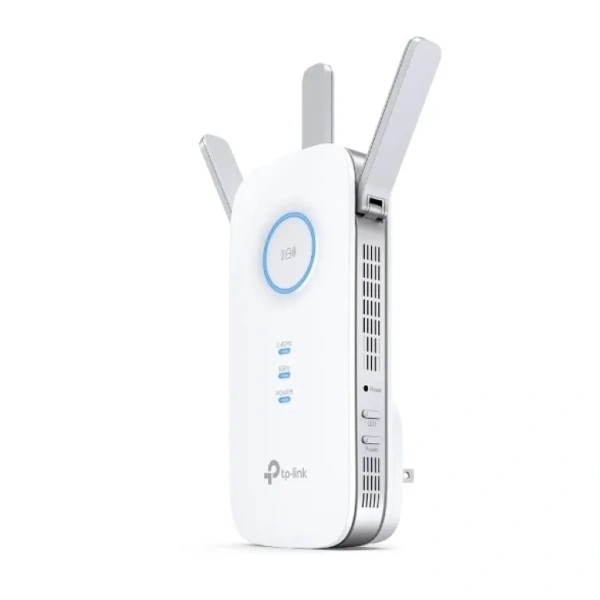
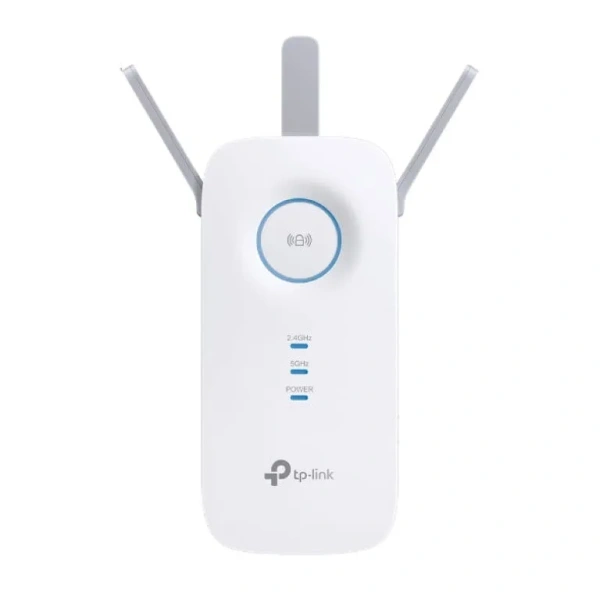
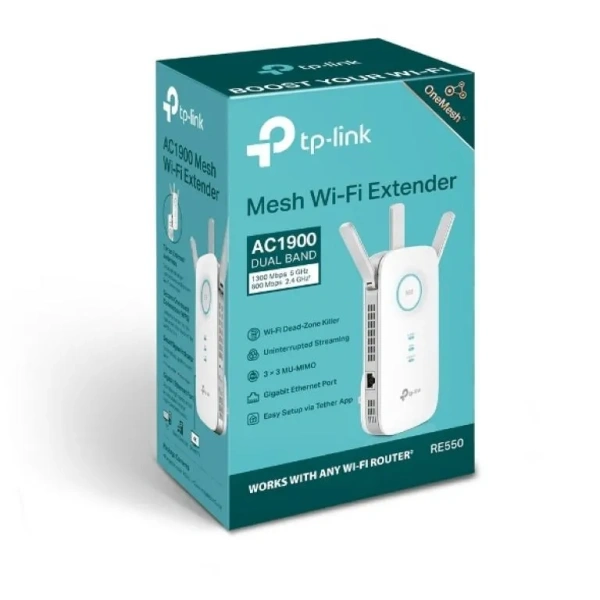



TP-Link AC1900 Wi-Fi 5 Range Extender
Boost Whole Home Wi-Fi with Your Existing Router A single router has limited Wi-Fi coverage and always causes Wi-Fi dead zones. RE550 wirelessly connects to your existing router and expands its Wi-Fi signal into areas it can’t reach on its own. Enjoy your stable network experience wherever you are at home. Wi-Fi keeps Strongest for Unlimited Moving With TP-Link Mesh Technology, it’s easy to form a Mesh network with a single Wi-Fi name for seamless whole home coverage. Just connect RE550 to a OneMeshTM router. Always enjoy the strongest Wi-Fi when you’re walking around with no need to search around for a stable connection.
Smart Roaming
Uninterrupted streaming when moving around your home.
One Wi-Fi Name
No more switching Wi-Fi network names.
Easy Creation
OneMesh™ Router + OneMesh™ Range Extender.
Unified Management
Manage the whole unified network all in one Tether app.
Enjoy a Mesh Network with Your Existing Router
Want a Mesh network? Hesitate on whether to replace your existing router and buy a Mesh set? TP-Link OneMesh™ resolves your dilemma. 1 Update your existing TP-Link router’s firmware to OneMesh version—no need to replace it. 2 Connect the RE550 to the router. 3 Enjoy the Mesh network
Faster Dual Band Wi-Fi up to 1900 Mbps
RE550 delivers dual band (2.4 GHz and 5 GHz) to transmit Wi-Fi signals, doubling the performance of each band. It enables you to keep more devices connected at the same time with its 600 Mbps 2.4 GHz and 1300 Mbps 5 GHz dual bands. Use the 2.4 GHz band to send email and browse the web and the 5 GHz band for gaming and HD streaming.
Adaptive Path Selection: Keeps Itself Working at Top Speed
Adaptive Path Selection keeps your network running at optimal speeds by automatically choosing the fastest connection path to the router. Always keep your devices fast and stable—ideal for network environments crowded with many devices and applications.
High Speed Mode: Maximized Speed with Dedicated Backhaul
Uses one dedicated Wi-Fi band as backhaul and another dedicated Wi-Fi band as an access point to maximize the bandwidth on the extended Wi-Fi
Built-In Access Point Mode
RE550 is more than a wireless range extender. Simply plug an Ethernet cable into its Ethernet port and easily turn your wired internet connection into a 3×3 MIMO dual band wireless access point.
Secure One-Touch Connection for Easy Setup
Step 1: Simply press the WPS button on your router and, within 2 minutes, the WPS button on RE550 will connect to the network.
Control at Your Fingertips
Set up and manage your Wi-Fi through the TP-Link Tether app from your smartphone (Android, iOS), including TP-Link routers and range extenders. Step 2: Once connected, place RE550 at the best location—without reconfiguration. Maximum wireless signal rates are the physical rates derived from IEEE Standard 802.11 specifications. Actual wireless data throughput and wireless coverage are not guaranteed and will vary as a result of 1) environmental factors, including building materials, physical objects, and obstacles, 2) network conditions, including local interference, volume and density of traffic, product location, network complexity, and network overhead, and 3) client limitations, including rated performance, location, connection quality, and client condition. The product may not be compatible with routers or gateways with firmware that has been altered, is based on open source programs, or is non-standard or outdated.
Specifications:
- TP-Link AC1900 Wi-Fi Range Extender. Type: Network transmitter
- Data transfer rate: 1900 Mbit/s
- Ethernet LAN data rates: 10,100,1000 Mbit/s
- Antenna type: External
- Transmitting power (CE): 23 dBm
- Cabling technology: 10/100/1000Base-T(X)
- Networking standards: IEEE 802.11a,IEEE 802.11ac,IEEE 802.11b,IEEE 802.11g,IEEE 802.11n,IEEE 802.3,IEEE 802.3ab,IEEE
- Wi-Fi standards: 802.11a,802.11b,802.11g,Wi-Fi 4 (802.11n),Wi-Fi 5 (802.11ac)
- Product colour: White
- Mounting type: Wall
- Certification: CE, FCC, RoHS
- Power consumption (max): 10 W
Exclusive to PackardSA